AI dressing room for Android

See the outfit before you wear it.

Pick a model, take garments out of the wardrobe, tap Wear. Stylopia dresses your model in the whole outfit — up to four pieces at once, turned to show every side — and lets you design the pieces that don't exist yet.

Free downloadGet it on Google Play

Free to start · no sign-up needed · no photo of you

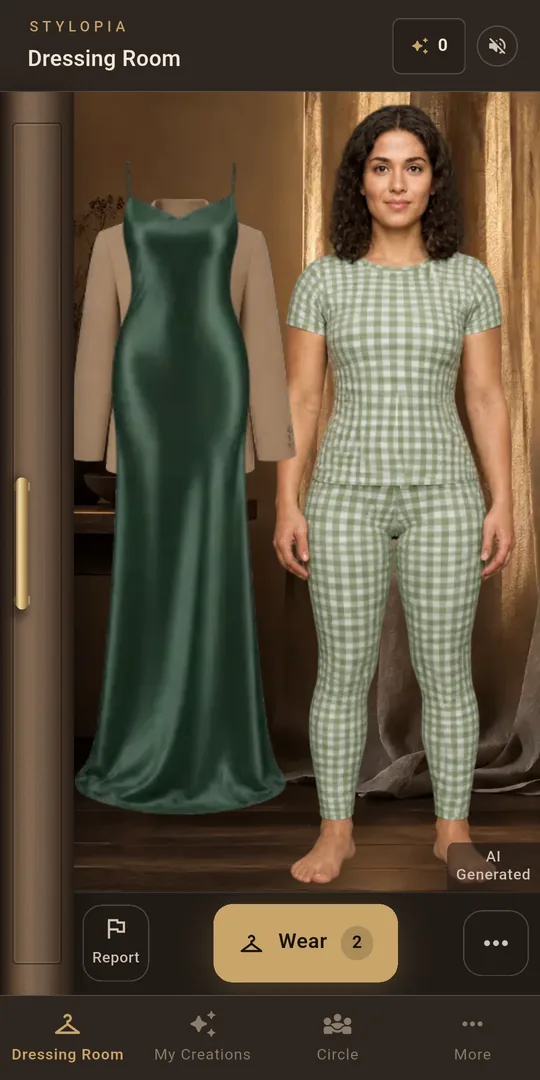
The dressing room before: the model in a gingham top and leggings, a forest-green satin gown and a camel blazer hanging on the rail beside her, and a Wear button.
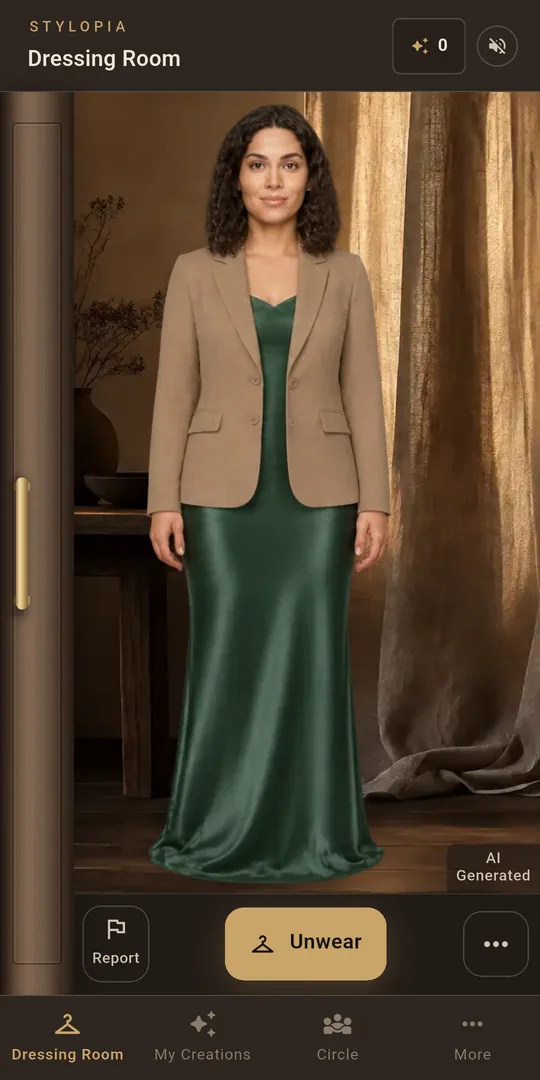
After Wear: the same model now wearing the camel blazer over the forest-green satin gown, in front of a linen drape.
How it works

Three steps, no fitting room.

  1. Choose a model

    Start with the free model, or build one: body shape, build and proportions, and a face if you like — all from our own library.

  2. Fill the wardrobe

    Add garments from a catalogue of thousands of colourways, or describe one and have it designed for you.

  3. Tap Wear

    Your model puts the outfit on. Like it? Keep layering. Changed your mind? Unwear steps back one layer.

The wardrobe

290 garments. More than 3,700 colourways.

Tops, dresses, outerwear, bottoms, shoes and headwear — browse by kind, pick a colour, and the garment joins your wardrobe. Take a few out, they hang on the rail beside your model, ready to wear.

  • 35 garments ready from the first minute
  • Wear any two of them on the starter model, free
  • Search, filter and favourite what you keep
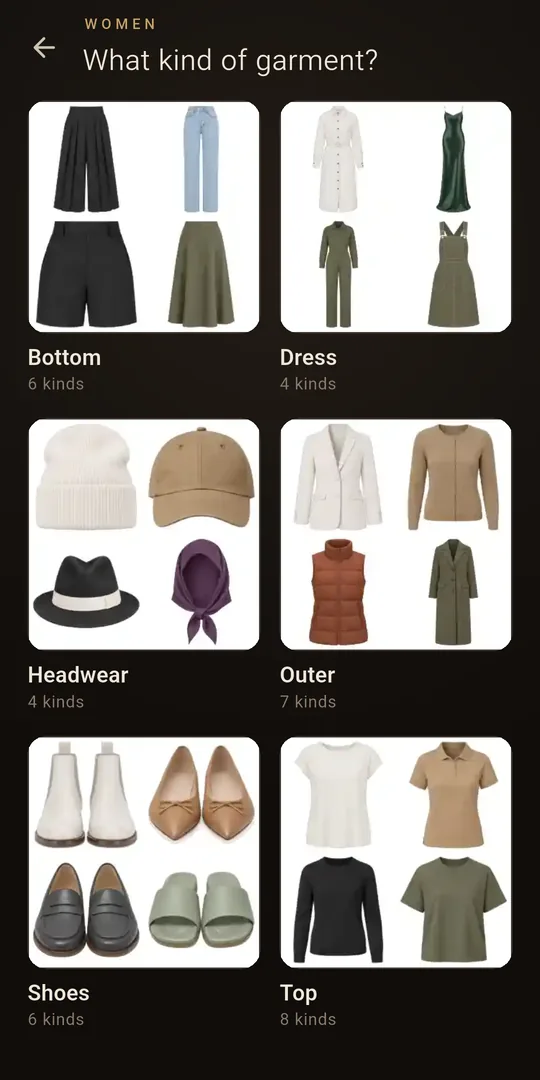
The catalogue's Women section: bottoms, dresses, headwear, outerwear, shoes and tops, each with a grid of example garments.
Design your own

Describe it. Stylopia makes it.

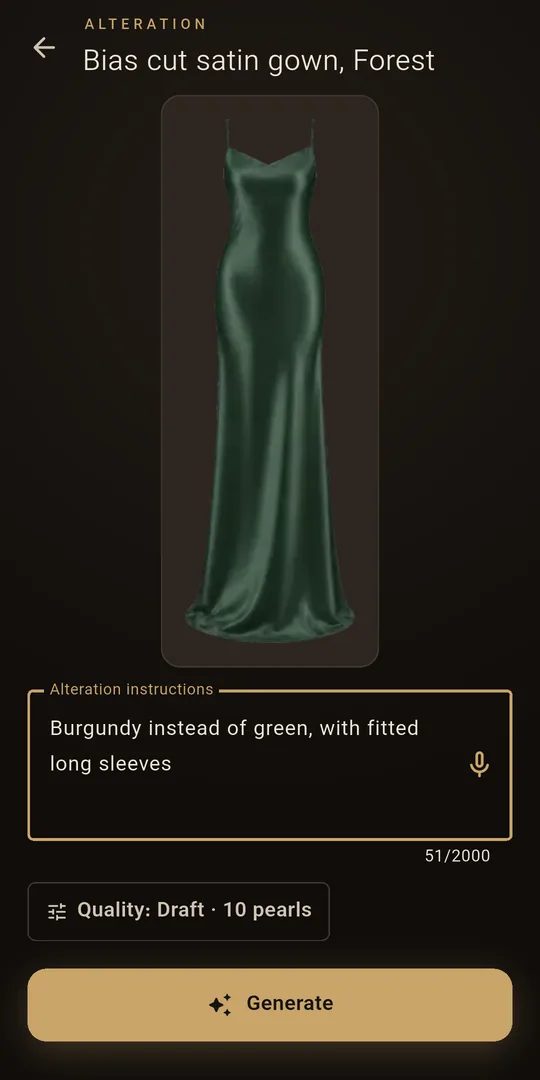
Type — or just say — what you want: “burgundy instead of green, with fitted long sleeves.” Customize any garment you own, or design one from nothing, then wear it like the rest.

  • Change colour, sleeves, length, fabric, cut
  • Speak your idea instead of typing it, in your own language
  • Your designs stay in your own collection
Altering a bias-cut satin gown: the gown above a text box reading “Burgundy instead of green, with fitted long sleeves”, and a Generate button.
Your model

A stand-in that looks like you want it to.

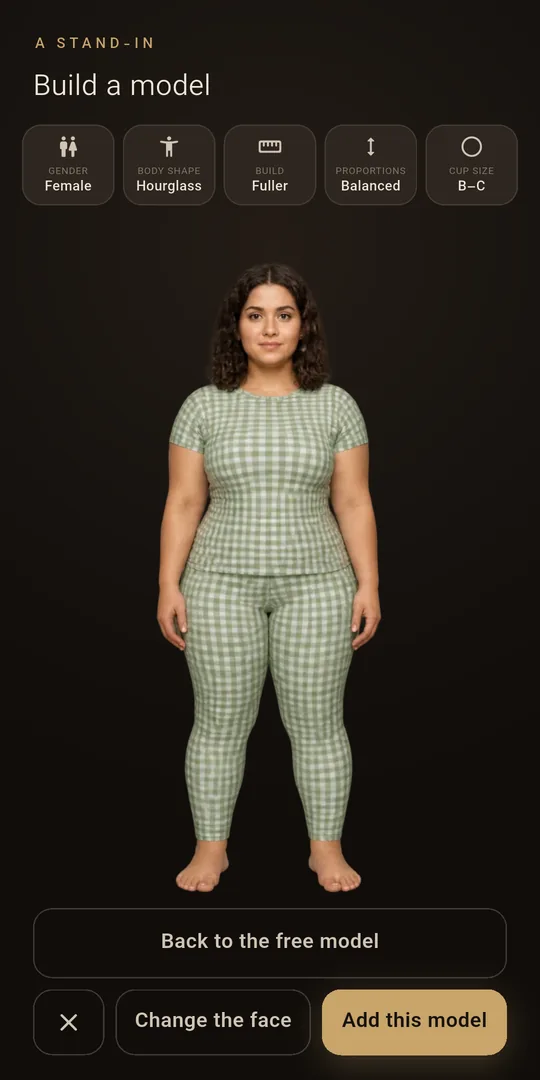
Pick gender, body shape, build, proportions and cup size, then choose a face from our library. Your model is ready to dress in moments — and you never hand over a photo of yourself.

  • Women and men, slim, average or fuller
  • Keep as many models as you like
Build a model: settings for gender, body shape (hourglass), build (fuller), proportions and cup size above a full-length model in a gingham top and leggings.
The room

Set the scene.

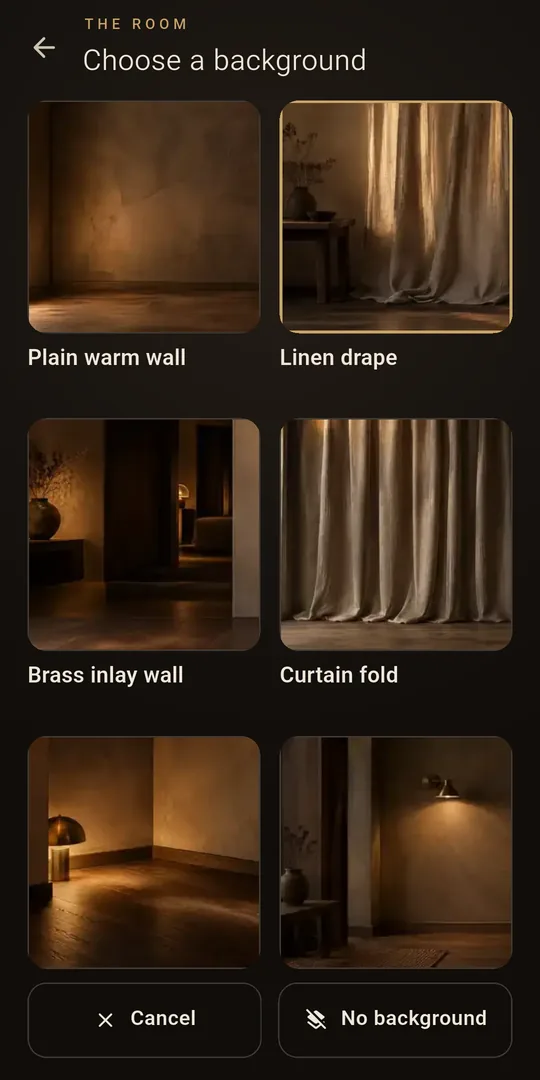
Stand your model before a linen drape, a brass-inlaid wall or a lamp-lit room. Every look you make is saved to your lookbook, and you can share it to any app as a picture.

  • See a look from four views: front, three-quarter, side and back
  • Models, designs and looks all saved in My Creations
Choose a background: Plain warm wall, Linen drape, Brass inlay wall, Curtain fold and two lamp-lit rooms.
11 languagesEnglish, فارسی, العربية, Deutsch, Español, Français, Italiano, Türkçe, Português, Nederlands, Dansk
Screen reader readyEvery button and every picture is named, built and tested with TalkBack.
No cameraThe app asks for no camera, photo or microphone permission.
Your own backupOptionally back up your creations to your own Google Drive.
Start free

Pearls, only when you want more.

The app is free, and so is dressing the starter model in two garments from the wardrobe you begin with. Bigger outfits, new faces and your own designs use pearls: sign in with Google for free pearls, topped up every week, or buy a pack when you want more. No subscription.

Built to be careful

Nothing about you is sold.

No analytics, no behavioural tracking, and no ads unless you choose to watch one for pearls. Your creations stay on your phone; only what a look needs is sent to make it. Details in the Privacy Policy.

Stylopia

Your next outfit is one tap away.

Install the app, open the wardrobe and tap Wear — your first look is free.

Get it on Google Play